Yet another revision of the Senseguard – I coudl have sworn I wrote about this – but it seems that was the Gen2 product – this iss gen3 – so here goes.The name suggests this is a Zigbee product.It is also battery powered but instead of a pair of R2450s which in other products I’ve been disapponinted with – the SNZT-03P uses a single CR2477 – more expensive and harder to get locally than the 2450 batteries but having been through dozens of motion sensors from vvarious companies, I’m heading in the ddirection of longer battery life.
USB is an option used by many sensors but as I’m sure you’re aware, not ideal for all walls.We have many walls suitable for sensor placing but hardly any have a handy mains socket for the USB adaptor.So, battery powered motion (not presense) sensing – great for bathrooms, hallways etc.
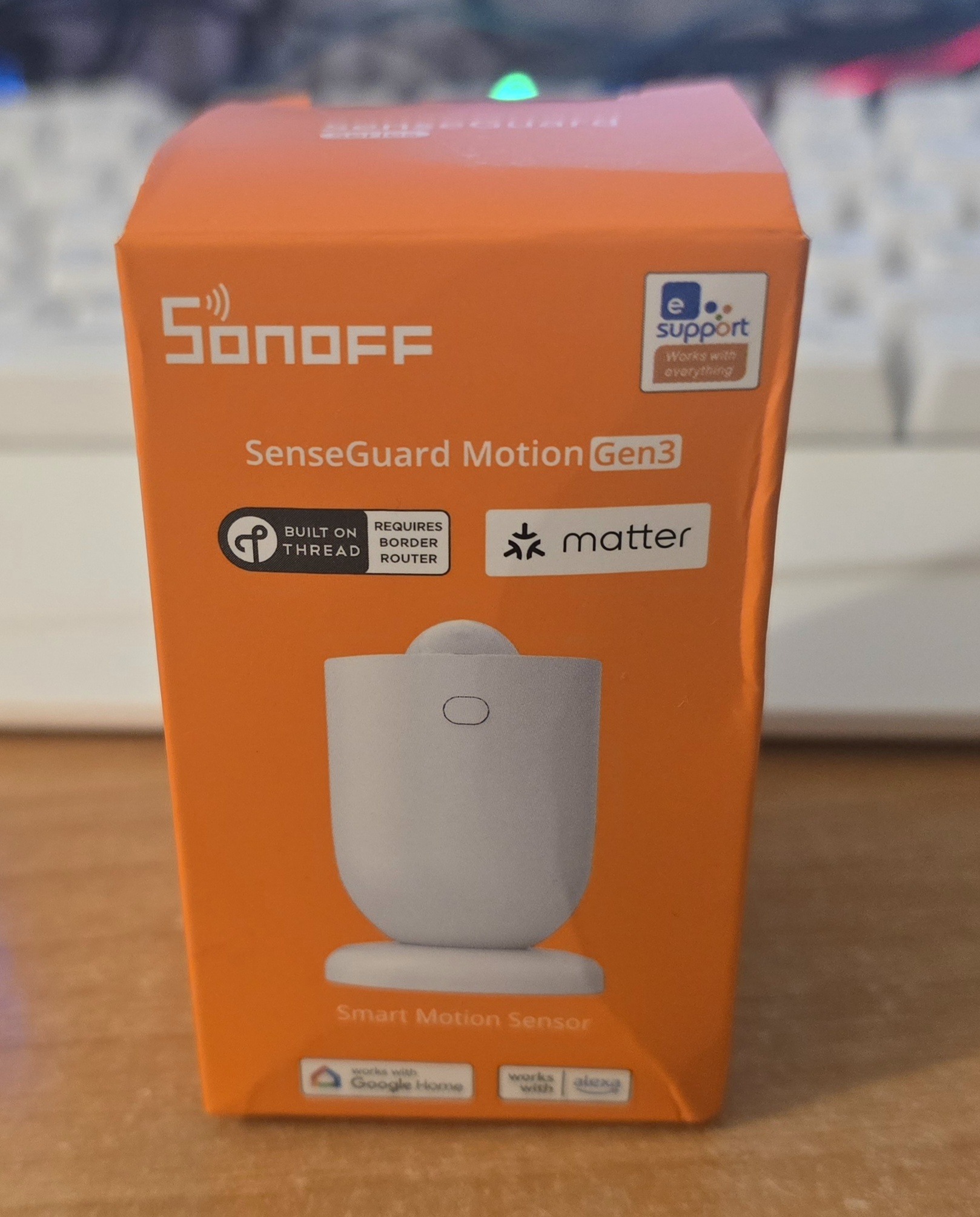
And here’s the box… I’ve no great interest in using thread border routers but of course, this device will work with Zigbee OR Mattre (the latter using a border router).I have Zigbee lights all over the house and so Zigbee range is no issue for me.Sonoff as always say their new sensor will work with Sonoff Zigbee – but again as always I’m expecting this will work just fine on my Zigbee2MQTT installion, so without further waffle – out of the box..
The SNZT-03P comes with a magnetic mount – which in turn has both screws and rawlplugs – and an adhesive mounting pad included so you can fasten the magnetic base onto any surface.The device comes complete with battery and you simply twist to open and remove thetravel protection strip – all ovre in seconds at which point the light next to the sensor dome starts flashing.By the time I’d written this, the green setup light had gone out so Iperssed the button on the front for a few seconds and it came back on.
Time to open up my Zigbee2MQTT “devices” panel and enable “join”.Nothing – that’s what I get for jumping in.I’m guessing it’s trying to do a MATTER pair – so one again back to the button – “press 5 times” says the manual.
“The device enters Zigbee mode and the light starts slowly flashing red”.Erm, no, mine’s flashing green… oh… no – it’s flashing RED now.Back to Zigbee2MQTT.
Permit join… and there it is… After briefly showing “device unknown” the display switched to “SNZT-03P SONOFF” exactly as I’d expect even from a brand new Sonoff product.As usual I changed the default name to something recognisable – “snzt-03p-1” and ticked the box so that Home Assistant would recognise the unit.Looking down my device list in Zigbee2MQTT I could see that the light level sensor and battery sensor were working just fine – but the “occupancy sensor” simply said “N/A” – oh dear.
As it turns out – I jumped in too quickly.REad on… After the first few minutes the occupancy sensor kicked in – showing CLEAR or OCCUPIED as needed – simple – straightforward with programmable timeout – all from Zigbee2MQTT or Home Assistant without any app.Time will tell – battery life is important but all I can do there is update the blog at a later time.
Sonoff claim “3 years reliable battery life”.Not sure how they can be so precise as battery life will likely vary depending on how many people cross the sensor every day.and the original Zigbee2MQTT window – now with working occupancy (movement) detection.
Read More